Dj it! - Music Mixer
GismartMusic & Audio
4.41.73K Reviews
- Version
- 1.31
- Installs
- 10.00M
- Age Rating
- Everyone
Screenshots
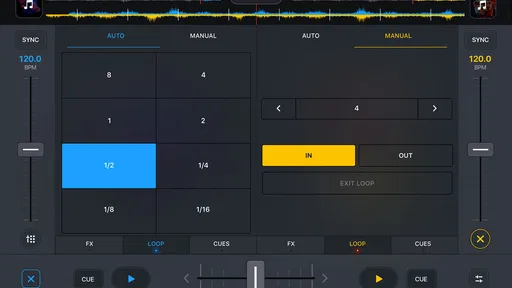
Our Review of Dj it! - Music Mixer
 Analysis by Appyee
I think Dj it! - Music Mixer is easiest to judge as a pocket-sized place to experiment, rather than as a replacement for a full DJ setup. I can imagine opening it for a few minutes while waiting for a friend, trying a transition, and leaving with a better sense of how two sounds might fit together. That low-pressure starting point is its main appeal: you can explore mixing without first buying equipment or knowing the vocabulary.
A low-pressure way to begin making mixes
As a music and audio app from Gismart, it is aimed at people who want to make tracks and try DJ-style ideas on a phone. Its appeal is visible in its audience: it has a 4.4 average from around 120,000 ratings, and more than 10 million installs. Those figures suggest broad interest, but they do not tell me whether it suits a particular workflow; the useful question is whether its guided, touch-based approach matches what you want to create.
I’d recommend starting with a simple goal instead of trying every control at once. Pick one short musical idea, listen for where its energy changes, and use the app’s mixing tools to explore a transition. This makes the learning process more purposeful: you are listening for timing and contrast rather than tapping randomly and hoping the result sounds polished. For someone new to DJing, that is a practical way to turn curiosity into a small, finished experiment.
The app is especially suited to casual creators, music fans who want to play with tracks, and beginners who learn by doing. It is less compelling if you need a precise production environment for a detailed release, or if you already rely on a hardware controller and a desktop workflow. A phone is convenient for trying ideas, but the compact screen and touch controls naturally make prolonged, fine-grained editing a different experience from working at a larger setup.
Getting Started with Dj it! - Music Mixer
First things first, downloading and setting up Dj it! - Music Mixer was a breeze. Available for both Android and iOS, it’s super accessible. The interface is clean and user-friendly, making it easy for beginners to jump right in. You don’t need to be a tech wizard to figure this one out.
It is free to download, and the content rating is Everyone, so it can be considered by a broad range of users. The current version is 1.31, and it requires Android 10 or later on that platform. I would still check that your device meets the operating-system requirement before planning a session, particularly if you are setting it up on an older phone. The app also offers in-app purchases, with listed items ranging from $7.99 to $49.99, so it is worth taking a moment to understand what is included before choosing to spend.
Features That Stand Out
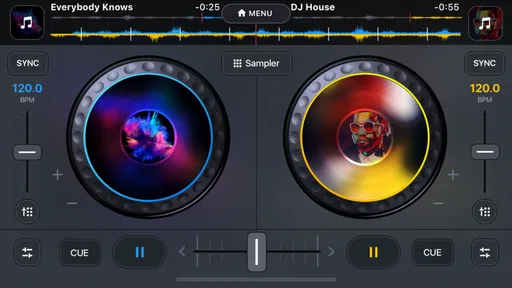
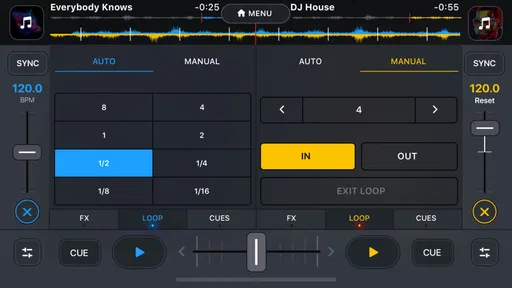
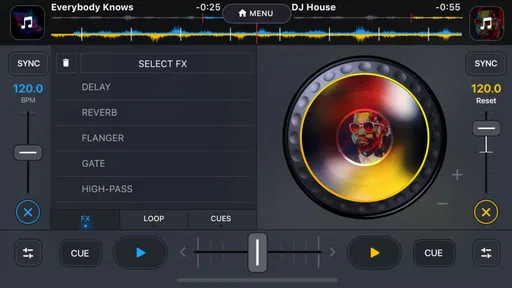
Right off the bat, the app offers a range of features that are both fun and functional. You’ve got your classic DJ tools like mixing, looping, and pitch control. But it doesn’t stop there. The app also includes a variety of sound effects and beats to spice up your mixes. Creating your own tracks has never been this easy.
A useful way to approach those controls is to change one thing at a time. For example, try a loop before adjusting pitch, then listen to the result rather than stacking several effects immediately. That makes it easier to hear which change improved the transition and which one made it feel cluttered. The same discipline helps when adding beats or effects: a small accent can give a mix character, while too many competing sounds can obscure the musical idea you started with.
This is also where the app’s phone-first format can work in its favor. A quick session can be about testing a rhythm or finding a more interesting handoff between sounds, not completing a studio-ready arrangement. I’d treat each attempt as a sketch: keep the central idea clear, make one or two deliberate changes, and listen back before adding more. That approach helps beginners learn what the controls actually do instead of mistaking activity for progress.
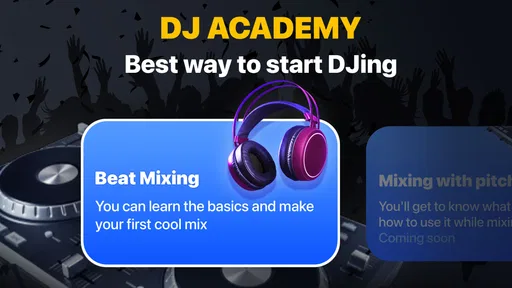
One feature I particularly loved is the learning mode. It’s perfect for newbies who are still getting the hang of things. The tutorials are interactive, so you’re not just watching videos passively. You’re actually getting your hands dirty, which is the best way to learn if you ask me.
That guided practice is most useful when you have a specific question in mind, such as how to make a loop feel less abrupt or how pitch changes affect a transition. I would use a tutorial, then immediately repeat the exercise with a different musical idea. Repeating the same technique in a fresh context is a better test of whether you understood it than simply completing a guided step once.
Making time for a real-world session
Picture having ten minutes before meeting a friend. You could use that short window to open the app, try a loop, and see whether a beat or effect gives the passage a lift. If something works, record the mix and play it back later; if it does not, you have still learned which adjustment did not fit. This is a more realistic use than expecting a brief phone session to produce a carefully mastered track, and it gives the app a useful role in a busy day.
For a beginner, the biggest practical trade-off is between accessibility and control. Touching a screen makes it easy to jump in, but a small display is not ideal for making lots of precise adjustments or comparing several detailed edits. I’d use it for experimenting, practicing basic decisions, and capturing an idea before it disappears. If your priority is extensive arrangement or exact control over a complex set, a fuller desktop program or dedicated DJ equipment is likely a better fit.
Performance on Mobile
Now, you might be wondering about performance. After all, a DJ app that lags is a no-go. I tested it on both my Android phone and an iPhone, and it worked seamlessly on both. The transitions were smooth, and there wasn’t any lag during my mixing sessions. It’s clear that the developers put a lot of effort into optimizing this app for mobile devices.
For everyday use, I would still keep a session focused and give myself time to listen rather than making adjustments in a rush. Smooth operation matters because a delay can throw off timing, but it cannot make a mix musically convincing on its own. The listener still needs to decide whether the incoming sound belongs there and whether the transition feels intentional. That makes careful listening more valuable than trying to use every control in a single pass.
If you are planning to play a mix for other people, a sensible workflow is to test it privately first. Listen through from start to finish, notice any abrupt changes, and make only the revisions that improve clarity. This quick review can catch an awkward handoff that is easy to miss while you are concentrating on the controls. It also helps set realistic expectations: a fun mobile mix can be worth sharing with friends without needing to be treated as a finished professional production.
Customization and Creativity
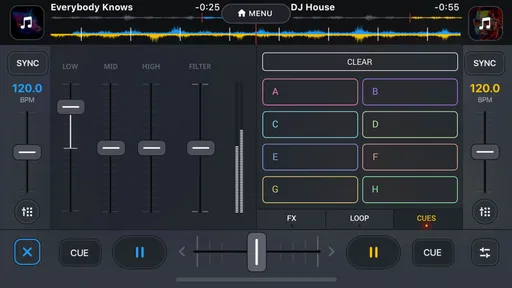
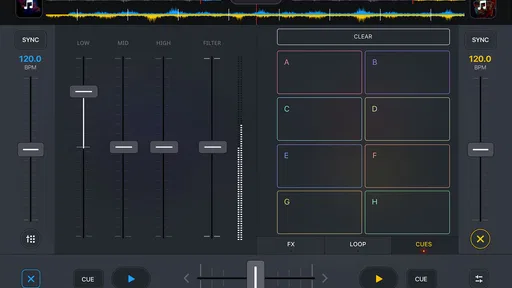
What’s a DJ app without some room for creativity, right? Dj it! - Music Mixer lets you customize your sound with ease. You can adjust the EQ settings to suit your style, and there’s a library of samples to choose from. Whether you’re into EDM, hip-hop, or something more niche, there’s something for everyone.
I’d use EQ as a way to make space for a sound that needs to stand out, not as a reason to keep turning knobs until the mix feels different. A modest adjustment can help separate elements; an aggressive one can make the overall sound feel unbalanced. The same principle applies to samples: choosing one that supports the mood is usually more effective than adding several just because they are available. The app invites experimentation, but restraint is part of making an idea easy to follow.
Plus, the ability to record your mixes and share them directly from the app is a huge plus. It’s great for getting feedback from friends or even sharing your work on social media.
Recording gives a casual experiment a clearer endpoint: you can listen back, decide what you want to change, and share a version for informal feedback. I would treat that handoff as sharing a creative sketch rather than assuming every recording is ready for a public release. If the mix matters to you, check it from beginning to end before sending it on, and ask listeners a focused question—such as whether a transition feels smooth—instead of asking only whether they like it.
That distinction is important when comparing the app with common alternatives. A basic music player is simpler for listening but does not offer the same hands-on mixing and track-making angle. More involved DJ software and hardware can suit longer sets and detailed control, but they demand more equipment, setup, and learning. This app sits between those choices: more playful and interactive than a player, less suited to a demanding performance workflow than specialist tools.
Choosing between the free start and paid extras
While the app is free to download, there’s a premium version that unlocks additional features. I’d say it’s worth considering if you’re serious about your DJing journey. The extra effects and tools can really elevate your mixes. However, the free version is still packed with enough features to keep you entertained.
My advice is to spend time with the free experience before paying. First work out what kind of mixes you actually enjoy making, then decide whether the extra effects and tools would solve a real limitation for you. The listed in-app purchase range is $7.99 to $49.99 per item, so purchases are not all the same price. That makes it especially sensible to review the options carefully rather than treating an upgrade as an automatic step in learning.
It may not be the right choice if you want a completely hands-off way to make finished music, or if you need a detailed project workflow for repeated editing and delivery. The app asks you to listen, experiment, and make creative choices; that is part of its appeal, but it also means the quality of a mix depends on your decisions. If you mainly want to play songs, a regular music player is more direct. If your goal is a tightly controlled live set, a dedicated setup is the more suitable direction.
A good fit for playful practice, not every production job
Overall, Dj it! - Music Mixer is a fantastic app for anyone looking to dip their toes into the world of DJing. It’s user-friendly, packed with features, and performs well on mobile devices. Whether you’re a complete beginner or someone with a bit more experience, this app has something to offer.
Its strongest use is turning spare moments into small creative sessions: practice a technique, test a transition, or record an idea to revisit. A more experienced user may enjoy it as a quick sketchpad, while a newcomer can use the interactive learning mode to get comfortable with the basic process. I would not choose it as my only tool for a complex production job, but I can see why a free, accessible app with mixing, looping, pitch control, EQ, samples, and recording would be an inviting place to start.
If you’re curious and want to give it a spin, you can find the download links for both Android and iOS on our website. Happy mixing!
Verdict
Strengths of Dj it! - Music Mixer
- User-friendly interface makes mixing easy.
- Wide variety of sound effects available.
- Seamless integration with music libraries.
- Real-time audio analysis for smooth transitions.
- Tutorials for beginners enhance usability.
Limitations of Dj it! - Music Mixer
- Limited free version features.
- Occasional lag on older devices.
- In-app ads can be intrusive.
- Advanced features require subscription.
- Not all audio formats supported.
Other Releases by Gismart
View All
Piano - Music Keyboard & Tiles
Music4.1

Real Guitar - Music Band Game
Music3.1

Drum Pads - Beat Maker Go
Music & Audio3.0

VIP Guard
Arcade4.7
Similar Picks in This Category
View All
YouTube Music
Google LLC4.4

Samsung Music
Samsung Electronics Co., Ltd.3.8

Spotify: Music and Podcasts
Spotify AB4.3

JioSaavn - Music & Podcasts
Saavn Media Limited4.3

Lark Player:Music Player & MP3
Lark Player Studio - Music, MP3 & Video Player4.6

StarMaker: Sing Karaoke Songs
SKYWORK AI PTE. LTD.4.3
Frequently Asked Questions
What is Dj it! - Music Mixer and what can I do with it?
Dj it! - Music Mixer is a mobile application designed for both Android and iOS users that allows you to mix music tracks like a professional DJ. With its user-friendly interface, you can create seamless transitions, apply effects, and even record your own mixes. It's perfect for both beginners and experienced DJs looking for a portable mixing solution.
Is Dj it! - Music Mixer suitable for beginners?
Yes, Dj it! - Music Mixer is designed to be intuitive and accessible for beginners. The app offers tutorials and easy-to-use controls that help users understand the basics of DJing. Features like auto-mixing and pre-set loops make it easier for novices to create impressive mixes without needing extensive prior experience.
What are the key features of Dj it! - Music Mixer?
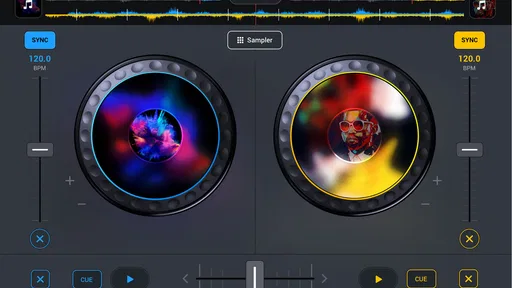
Dj it! - Music Mixer offers a range of features including a dual-deck interface, various sound effects, beat synchronization, and automatic tempo and pitch adjustment. It also provides a library of preloaded tracks and integration with popular music streaming services, allowing users to access a wide variety of music for their mixes.
Are there any in-app purchases or subscriptions required for Dj it! - Music Mixer?
While Dj it! - Music Mixer is free to download, it offers in-app purchases and subscription options that unlock additional features. These may include advanced effects, more sound packs, and ad-free usage. Users can choose whether to stick to the free version or enhance their experience with paid features.
What are the system requirements for Dj it! - Music Mixer?
Dj it! - Music Mixer requires Android version 5.0 or higher, and iOS 11.0 or later. It is compatible with most modern smartphones and tablets. For optimal performance, ensure your device has sufficient storage and processing power to handle audio processing and mixing tasks without lag.
